
What Makes a PC a Good IPTV Device
No Extra Hardware At All
A PC is the one device where IPTV needs nothing bought. No Firestick, no Android box, no receiver. You already own the decoder, the screen and the network card.
VLC Works, But It Is Not a Player
VLC will open an M3U URL and play the streams, which makes it perfect for a five-second check that your credentials are live. It has no programme guide and no channel search, so it is a diagnostic tool rather than a way to watch television.
IPTV Smarters Is the Practical Desktop Choice
A proper Windows and macOS build with a channel list, guide and on-demand sections. It accepts Xtream Codes as well as M3U, which on desktop matters because the guide is the whole reason to use a real player over VLC.
Hardware Decoding Is the 4K Bottleneck
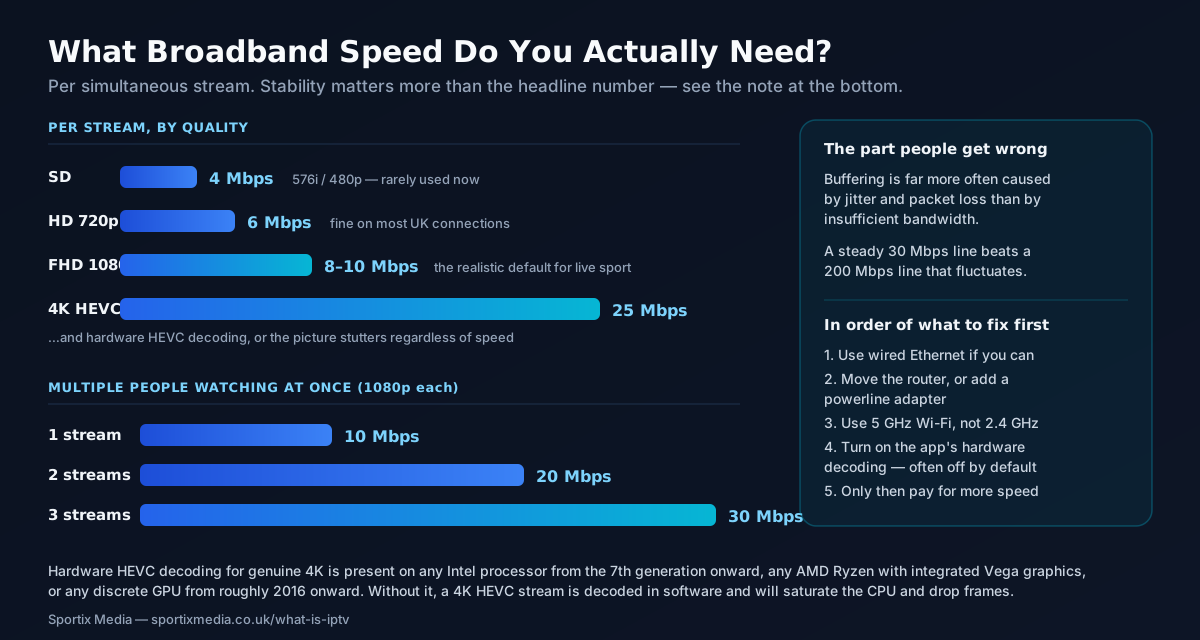
Genuine HEVC/H.265 4K wants hardware decode. Any Intel from 7th generation, any AMD Ryzen with Vega, or any dedicated GPU from roughly 2016 handles it. Software decoding a 4K HEVC stream will peg a CPU and stutter.
Ethernet Is Easier on a Desktop Than Anywhere Else
A PC usually sits near a router and has a physical port, which removes the single most common cause of buffering. Wired is worth more than extra bandwidth.
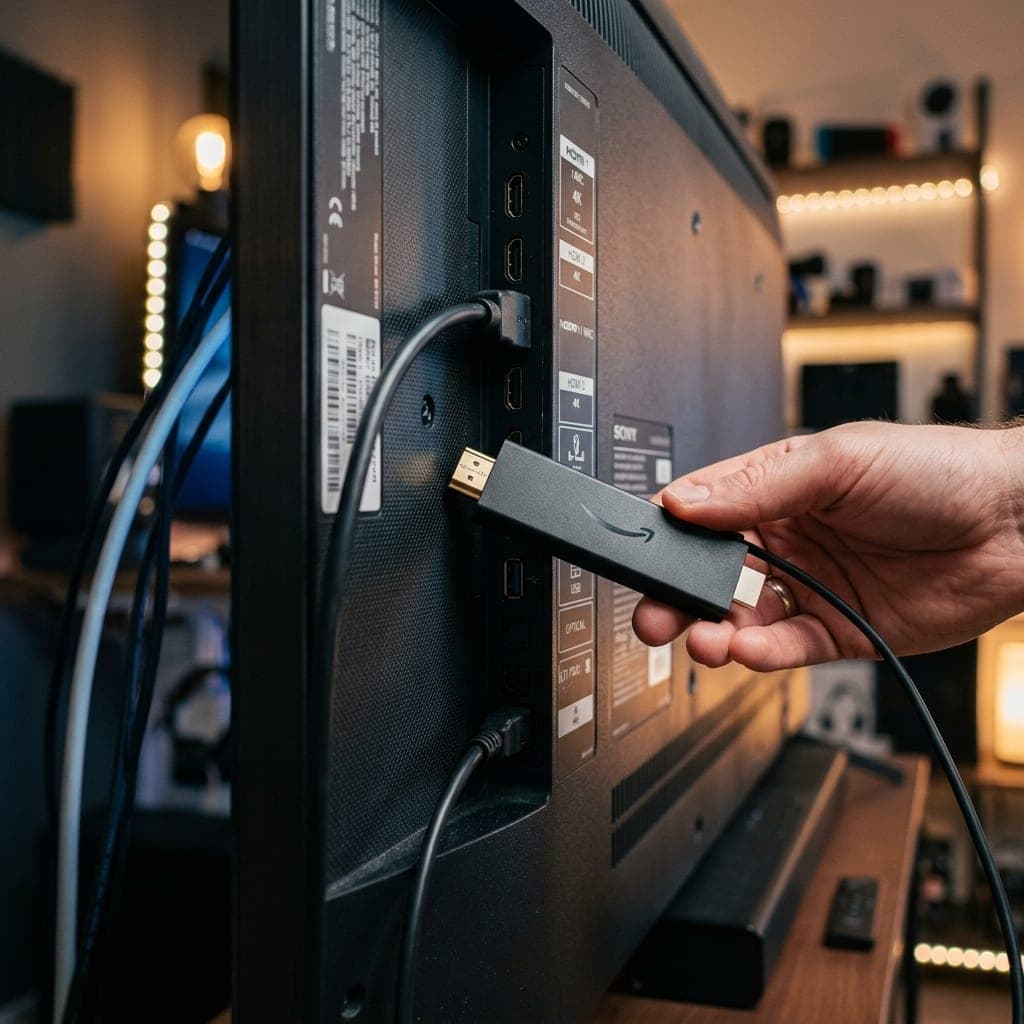
HDMI Turns the PC Into the Set-Top Box
One cable from the PC to the television and you have a bigger, faster, better-organised IPTV box than most dedicated hardware, with a keyboard for channel search. Awkward from the sofa, excellent for a study or a bedroom.
Desktop IPTV Players Compared
| Player | Platform | Accepts | Programme guide | Best for |
|---|---|---|---|---|
| IPTV Smarters Player | Windows, macOS | M3U and Xtream Codes | Yes | The general-purpose default |
| VLC Media Player | Windows, macOS, Linux | M3U only | No | Testing that credentials work |
| Kodi (with a PVR add-on) | Windows, macOS, Linux | M3U and Xtream Codes | Yes, once configured | People who enjoy configuring things |
| MyIPTV Player | Windows 10 / 11 | M3U and Xtream Codes | Yes | A lightweight Microsoft Store option |
| A browser tab | Any | Neither | No | Not a viable route — use a player |
What Your PC Actually Needs
| Requirement | For HD | For genuine 4K |
|---|---|---|
| Broadband per stream | 8–10 Mbps stable | Around 25 Mbps stable |
| CPU | Anything from the last decade | Intel 7th gen+, or Ryzen with Vega |
| Hardware HEVC decode | Not essential | Strongly recommended |
| RAM | 4 GB | 8 GB |
| Connection | Wi-Fi is usually fine | Ethernet preferred |
| Operating system | Windows 10/11, macOS 11+ | Windows 10/11, macOS 11+ |
Where a PC Wins and Where It Does Not
On raw capability a desktop beats dedicated IPTV hardware comfortably. A cheap Android box has a weak processor, limited memory and Wi-Fi only; a laptop from the last five years decodes HEVC in hardware, holds a 35,000-channel list without lag, and can be plugged into Ethernet. Since buffering is caused far more often by an unstable connection than by insufficient bandwidth, that wired port is worth more than a faster broadband package.
The keyboard is an underrated advantage. Searching for a channel by name takes a second on a PC and is genuinely painful on a remote control, and a very large line-up is only useful if you can find things in it. Xtream Codes helps here too, because it lets the player separate live channels from the on-demand library rather than dumping everything into one flat M3U list.
Where a PC loses is ergonomics, and it is worth being honest about it. It is louder, hungrier, slower to start and inconvenient to drive from a sofa. Our recommendation is unglamorous: use the PC to verify the service works — VLC and an M3U URL will tell you that in under a minute — then decide whether the living-room television deserves a Firestick running the same credentials. Nothing is duplicated, because the subscription is not tied to a device.
One thing this page will not help with. The desktop searches around this topic attract a lot of content pushing cracked players and free playlist files. We do not publish those and do not link to them. Every app named above is legitimate software from its own developer, available from the Microsoft Store, the Mac App Store or the developer directly — and none of them are ours.
Frequently Asked Questions
All plans and prices are on one page
Every subscription length, connection count and price is listed together on our pricing page — from £10 for a single month up to £75, with the cheapest working out at £3.75/month on a 12-month plan. Nothing on this page overrides it.
Test It on the PC First It Takes About a Minute
A 6-hour free trial with no card details. Paste the M3U URL into VLC and you will know within sixty seconds whether the streams hold up — then decide which devices you actually want it on.